Keep time, write things down, enjoy photos and music. Explore Japan or make your phone feel more like you. We are developing everyday apps with Matenrou characters.
We make apps we want to use
and look forward to using.
We start with a simple thought: “I wish there were an app for this.” We put ease of use first, then bring a sense of play to everyday tools through characters, sounds and small surprises.
OUR APPS / 2026
Apps in development
Arranged by the moments you use them. Each one is a tool we want to use every day.
Status based on each app’s development records (October–November 2026). None has been publicly released. Features and pricing may change before release.
TIME & HABITS
Time and habits
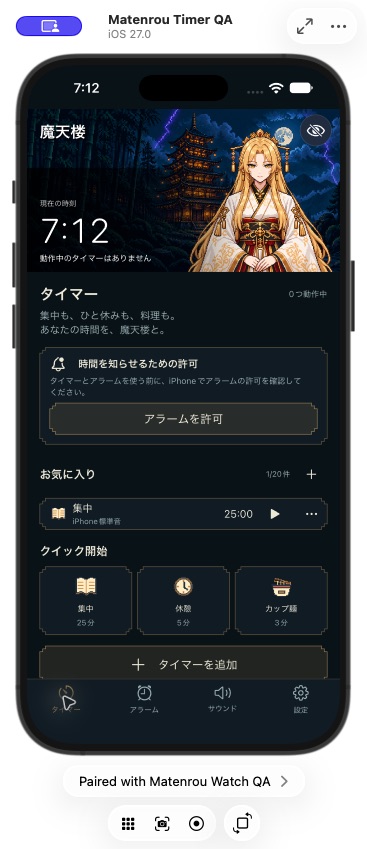
iPhone development screen · Preparing for TestFlight testing. No public release yet.
01TIMEIn development
Matenrou Timer
For early mornings. And focused moments.
From cooking and study sessions to your morning alarm. Choose character voices or BGM to mark the time, with a companion and background to suit your mood.
01Run up to four timers. Start from favorites and set alarms for selected weekdays.
02Find and preview Japanese and English voices by character, language or use, with clear free and subscriber labels.
03See remaining time on the lock screen, use the Apple Watch app, or switch to a simple view without characters.
Core features, standard sounds, BGM and five voice recordings across the cast are free. Other character voices are designed for use during an active subscription. Paid plans are being prepared.
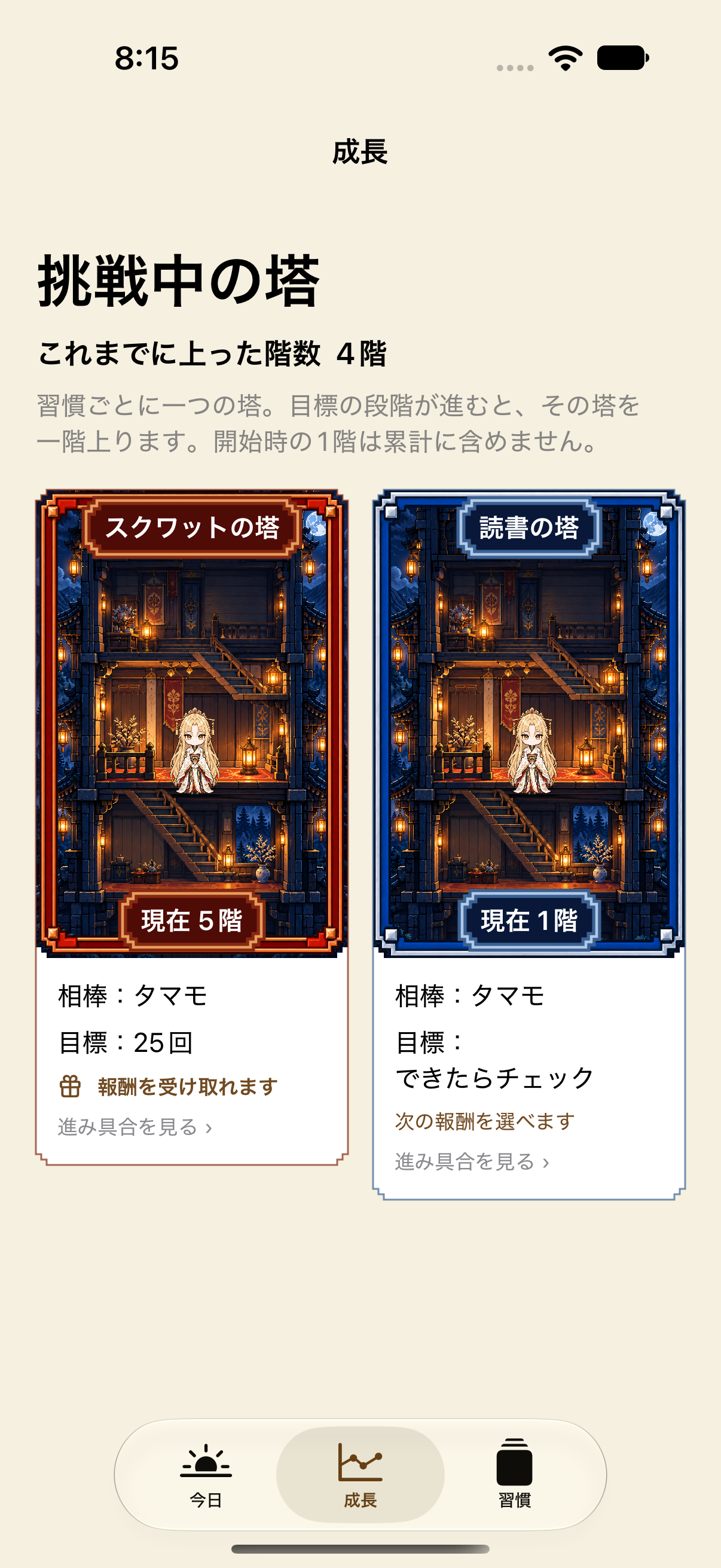
iPhone development screen, October 20, 2026 · Each habit has its own tower and frame.
02KEEP GOINGIn development
Matenrou Habits
Small steps. A companion beside you.
Let a personal tower grow with your reading, exercise and other habits. Choose a companion for each habit and climb a floor when you advance to the next goal. Keep the sense of progress at your own pace.
01Track check-offs or numeric progress, from individual habits to routines with several actions.
02Each habit has its own tower and companion. Choose when to advance your goal while keeping past records.
03Unlock companion conversations and choose rewards as you climb. Pick copper-red or indigo-silver tower frames.
Records stay on your device, with full backup export and restore. Pricing and release timing are yet to be confirmed.
iPhone
WRITE & CALCULATE
Write and calculate
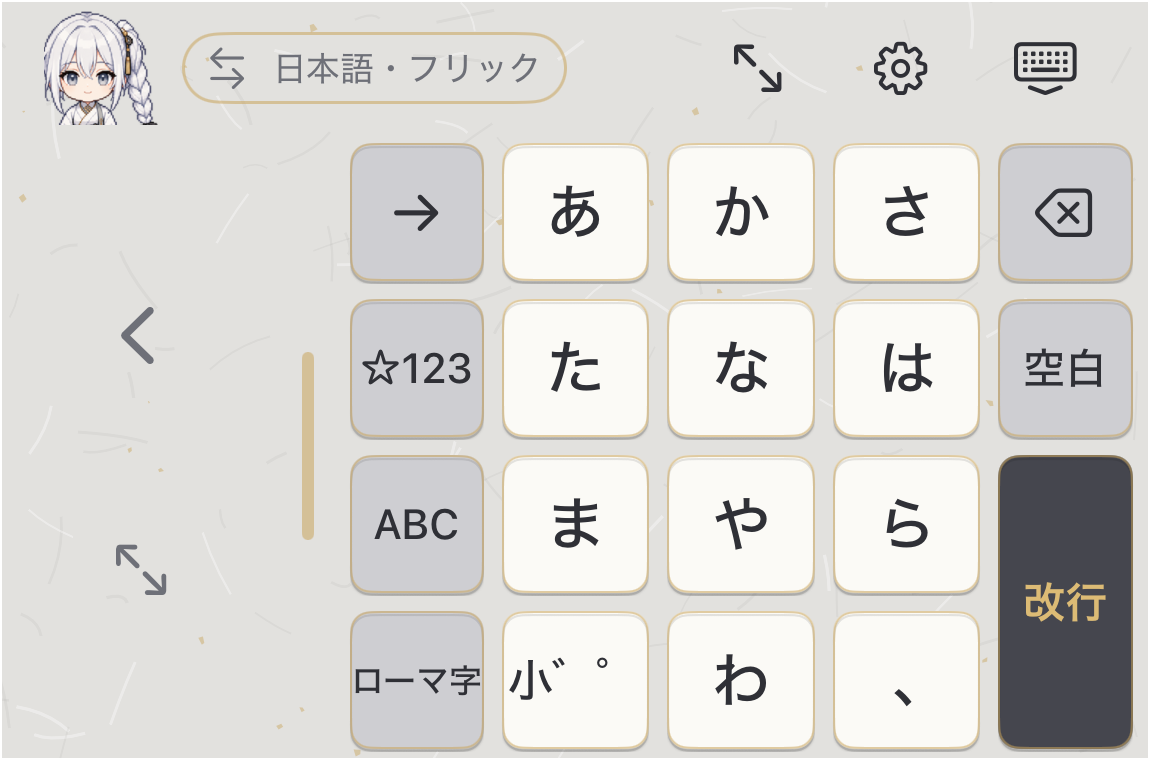
Development screen, November 16, 2026 (Izuna skin prototype) · Not yet publicly released.
03TYPEIn development
Matenrou Shikiban (working title)
A Japanese-style tool for everyday typing.
A Japanese keyboard that replaces the standard iPhone keyboard. Conversion and ease of typing come first, and we plan to keep all typing features free. The keyboard itself makes no network connections, and basic typing works without Full Access.
01Flick, romaji and English input. Hold a key for numbers, get punctuation suggestions after committing text, and insert saved phrases.
02One-handed layouts and a Japanese + English layout for the wide screen of a foldable iPhone.
03An Izuna skin and character art are in prototype. A plain look without characters is also available.
Typing features are designed to stay free, with no ads inside the keyboard. Character packs are planned as standalone purchases and as part of shared membership. Pricing and release timing are undecided.
iPhone
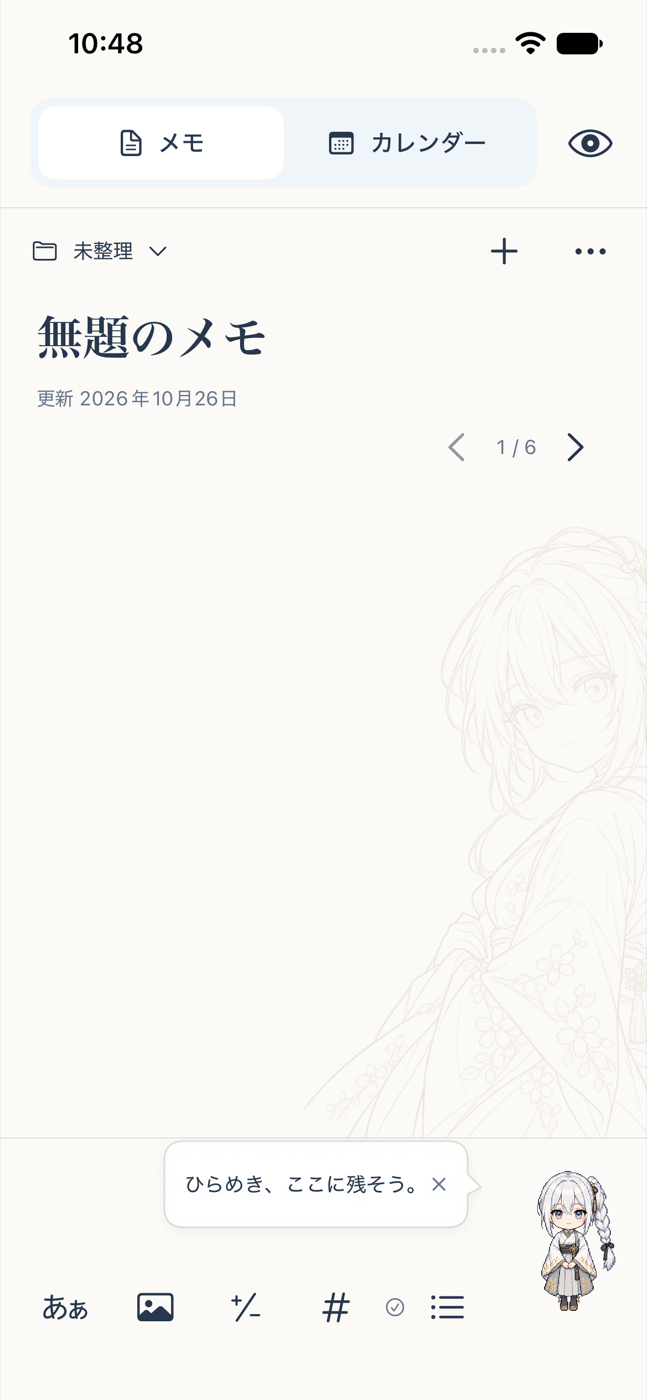
iPhone development screen, October 26, 2026 · A PC version is also in development. PC–iPhone sync is being prepared.
04NOTE & CALENDARIn development
Matenrou Memo
Keep each idea on its day.
Write down an idea right away, no title needed. Organize notes in folders and connect them to daily pages and plans. Your companion can be tucked away or hidden whenever you like.
01Folders, note lists and swipe navigation. Add images, calculations and tags to a note.
02Daily notes and plans in a calendar, with optional rokuyo (traditional Japanese calendar days).
03Four Home Screen widgets and a simple mode that hides the companion and character background.
Notes are stored on your device, with trash, version history and backup. Sync via Google Drive is being prepared. Pricing and release timing are undecided.
iPhone / PC
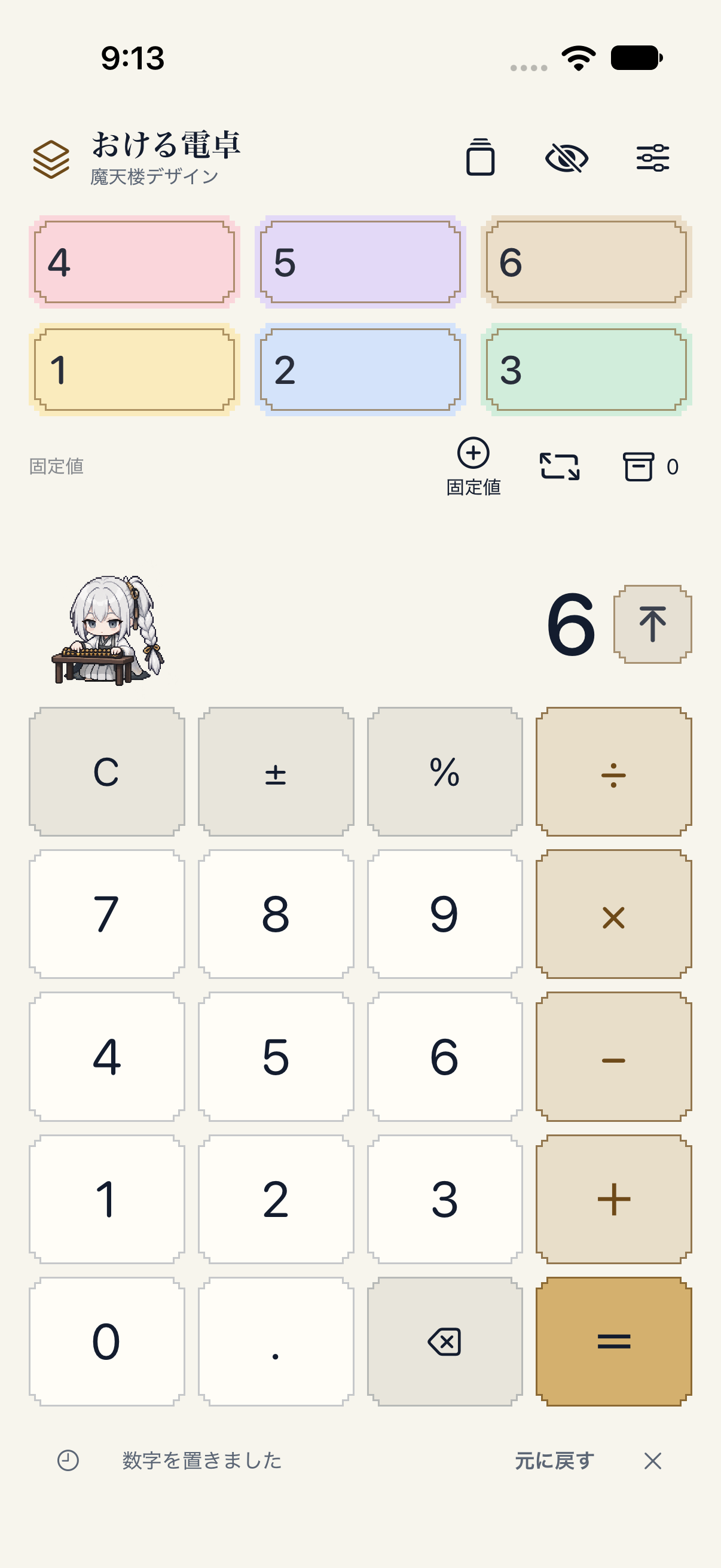
iPhone development screen, October 20, 2026 · A PC version is also in development. Automatic cross-device sync is not available.
05CALCULATEIn development
Okeru Calculator
Keep that number within reach.
Turn a calculation into a number card on your shelf. Compare values and tap to reuse them without memorizing them again. Save a work or shopping layout together with your chosen character.
01Drag number cards to place or swap them. Organize constants, calculation history and a storage box.
02Save layouts, constants, key positions and a character as a template. A no-character option is available.
03Paid iPhone features include more space, currency conversion, estimated profit and margin, powers, and celebration poses.
On iPhone, two constants, six active cards and three templates are free. Support for a standalone plan and shared membership is implemented for development; paid sales have not started.
PC / iPhone
SEE, LISTEN & PERSONALIZE
See, listen and personalize
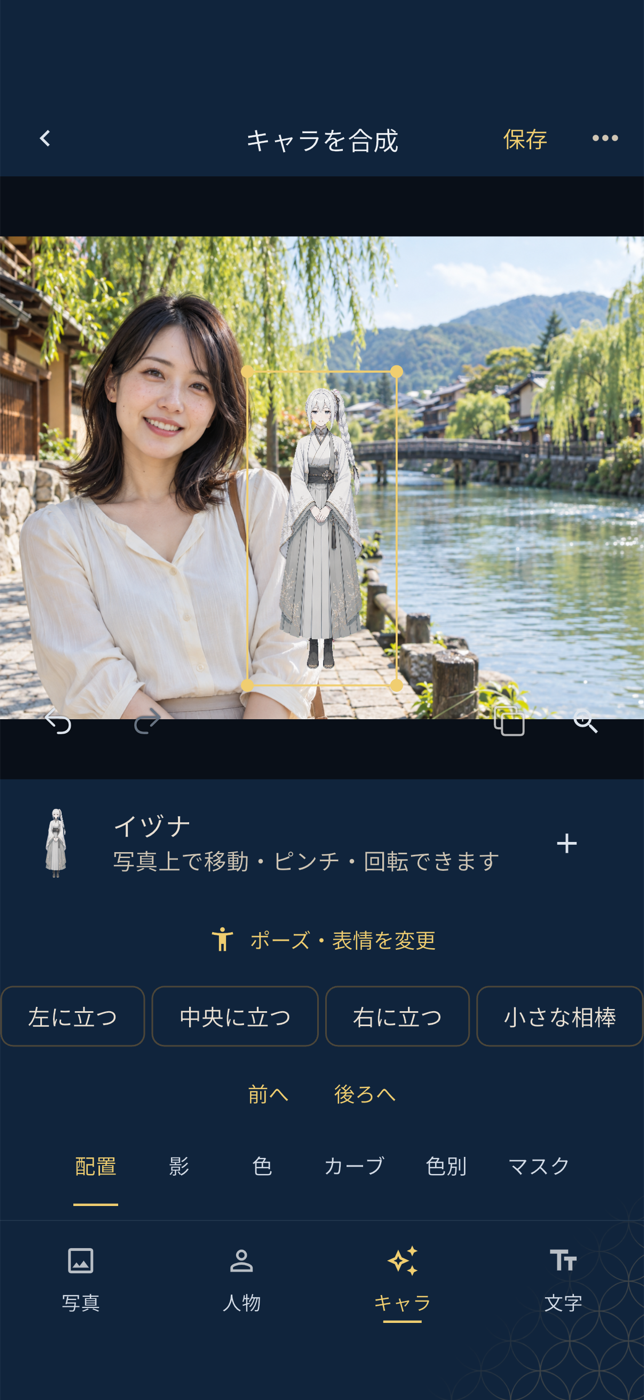
iPhone development screen, October 23, 2026 · The photo is a bundled sample of a fictional person.
06PHOTOIn development
Matenrou Photo
Add a story companion to everyday photos.
Organize, shoot and edit in one app. Place Matenrou characters in your photos and add text or frames to turn a trip or an ordinary day into your own piece.
01Organize photos by date, favorites, tags and albums. Edits keep the original intact.
02Shoot with a character or add one later. Adjust position, size and shadow.
03Color, tone curves and local adjustments, portrait retouching, and text, frames and karuta-style finishes.
Works are saved on your device, with backup export and restore. 3D and AR character display is a prototype. Not yet on app stores; pricing and release timing are undecided.
iPhone / Android
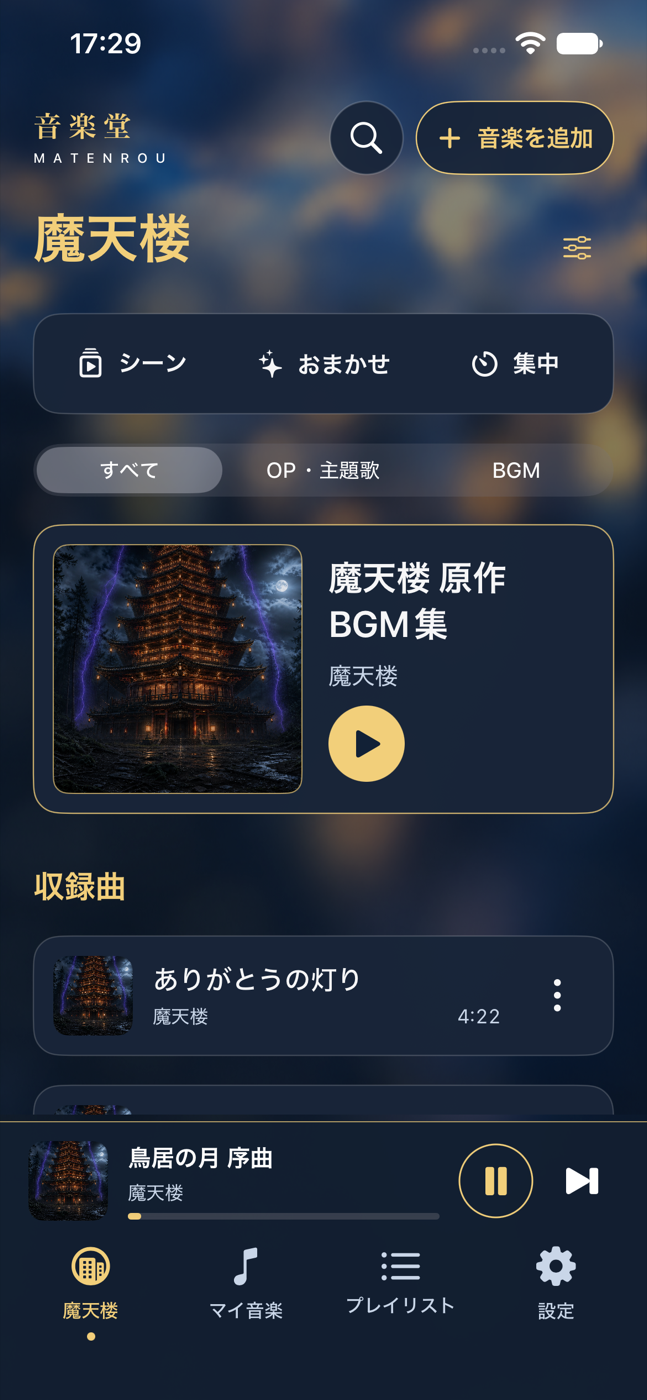
iPhone development screen, October 23, 2026 · Not yet publicly released.
07LISTENIn development
Matenrou Music Hall
For focused work and story afterglow.
Matenrou soundtrack music and your own audio files in one place. Saved scenes, auto picks and a focus timer help you start the right music for work or a break.
01Includes Matenrou soundtrack music. Add and play your own MP3, M4A, WAV, FLAC and other audio files.
02Connects to your Apple Music library. Mix official tracks, your files and Apple Music in one playlist.
03Saved scenes, picks based on mood and time, a focus timer, a sleep timer and widgets.
Tracks and settings are managed on your device. Playing Apple Music songs requires your own Apple Music subscription. The included tracks will be finalized before release; pricing and release timing are undecided.
iPhone
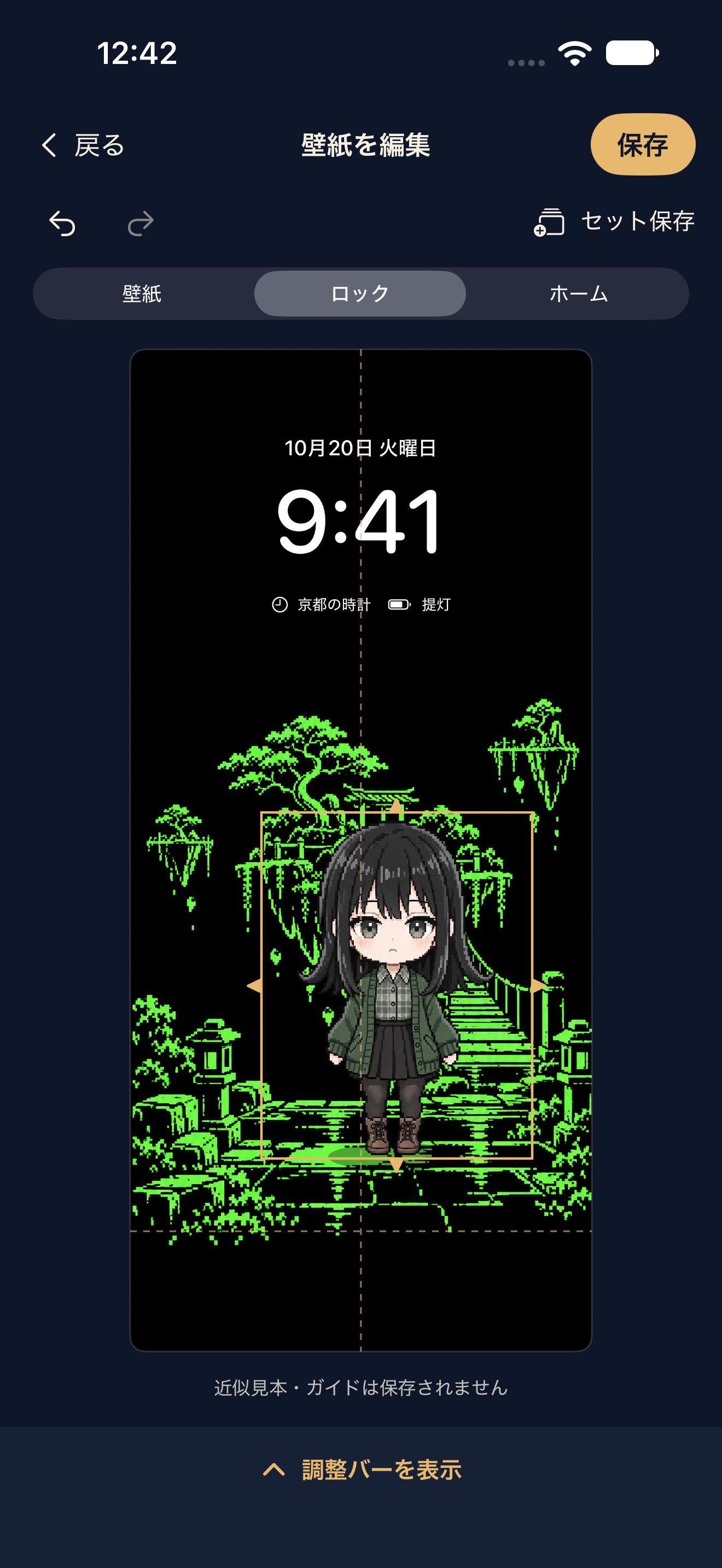
iPhone development screen, October 20, 2026 · Clocks and icons are approximate mockups.
08MAKE IT YOURSIn development
Theme Lab
A favorite view, every time you look.
Make a wallpaper by pairing Japanese-inspired or pixel-art scenery with a favorite character. Adjust the position and size, then pair it with clock or calendar widgets to make your everyday screen your own.
01Choose from 42 backgrounds and five characters, or no character. Adjust with drag, pinch and precise controls.
02Check lock and home screen mockups. Save combinations as sets, then rename, duplicate or restore them.
03Clock, lantern battery and monthly calendar widgets, with Japanese-style color and green pixel-art looks.
Wallpapers are composed and saved on your device. Apply wallpapers and add widgets through iPhone settings. Pricing and release timing are yet to be confirmed.
iPhone
GO OUT
Go out
Travel concept illustration, not an app screen. Guide recordings in the development app are placeholders.
09EXPLORE JAPANIn development
SushiSara Travel
Step into the places behind the stories.
Discover places connected to stories and the streets of Japan with a character as your guide. Save places for later and keep a photo diary of your own trip in our iPhone app.
01Search seven places in Japanese and English. Filter by region and interests such as story connections, townscapes and history.
02Save and reorder bookmarks, keep photo diaries, and listen to basic guides with Japanese and English transcripts.
03Receive updated place content from the website. Previously saved content stays available if an update cannot be downloaded.
Basic guides are designed to be free. GPS visit verification, subscriber visit voices and the connection to the alarm app are planned.
The timer, the iPhone calculator, the memo app and the keyboard can be used without characters on screen. Switching the look keeps your records and settings intact.
LITTLE DISCOVERIES, EVERY DAY
Bring a travel memory into your morning.
A connection we plan to build between our apps.
01
Find a place in Japan
Explore the travel website with our characters to choose where to go.
02
Collect a memory there
Record your visit in the travel app. Place cards are planned to be free, with visit voices for subscribers.
03
Wake up to that voice
Choose a voice collected on your trip as your alarm sound. This connection is planned.
App releases and paid plans are being prepared. Standalone in-app plans and shared membership cover different features. Using a travel voice in the alarm app is planned.Planned: one subscription for all our apps
Concept preview
From a travel voice to an alarm.
Try selecting a collected visit voice. This web demo is separate from the native timer app in development.
Choose your alarm voice
This demo only saves settings. It does not play audio or trigger an alarm on your device.Visit audio — locked
One membership for all our apps.
Your everyday tools, together.
Time, writing, photos, music and travel. We are preparing one shared membership across our everyday apps.